Facebook Marketplace UK: Buy and Sell Items Near You
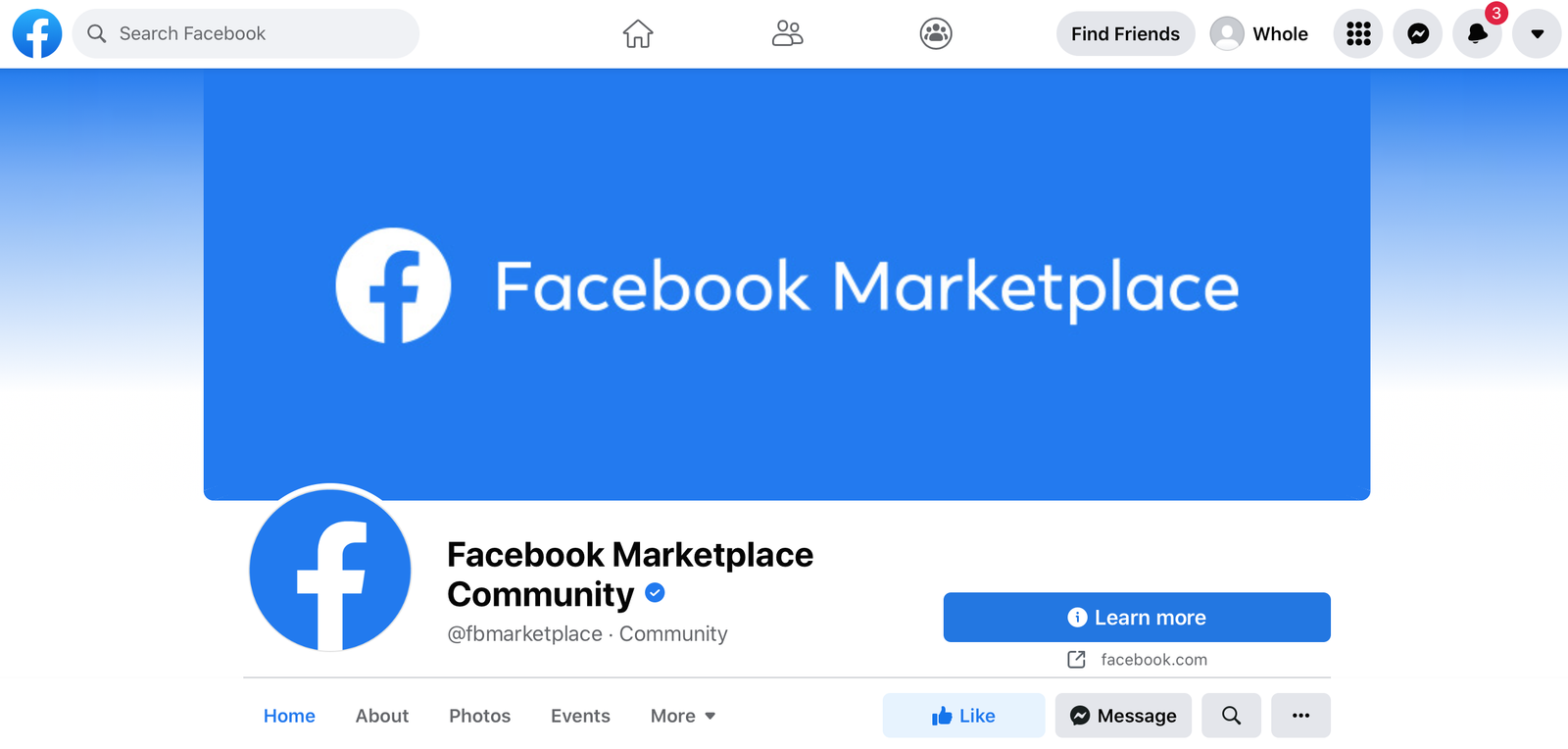
Facebook Marketplace UK is a convenient online platform for discovering products, comparing prices and connecting with local buyers and sellers. From second-hand furniture and mobile phones to clothing, vehicles and household appliances, it offers a wide variety of items for different needs and budgets. Whether you want to furnish your home, find an affordable bargain or sell belongings you no longer need, Marketplace provides a practical starting point for local shopping.
One of the main advantages of Facebook Marketplace UK is its connection with the wider Facebook community. Buyers can explore listings, contact sellers through Messenger and discuss prices or collection arrangements. Sellers can advertise products to potential customers in nearby areas. By understanding how the platform works and following sensible safety practices, you can make informed decisions and enjoy a smoother buying or selling experience.
How to Access Facebook Marketplace UK
Accessing Marketplace is straightforward for eligible Facebook users. Open the Facebook website or mobile application, log in to your account and look for the Marketplace icon in the navigation menu. Once you enter the section, you can browse available products, search for specific items and adjust your location preferences. The layout may differ between devices, but the main features help users discover relevant listings.
If Facebook Marketplace UK does not appear on your account, check whether your application needs updating or whether Facebook has sent you any account notifications. Access can depend on eligibility, account restrictions and other platform requirements. You can also try opening Facebook in a web browser and consult the official Help Centre for guidance. Avoid websites that promise instant access in exchange for passwords, verification codes or other sensitive information.
How to Find Items for Sale Near You
Finding local products starts with choosing precise search terms. Instead of searching for general furniture, try terms such as dining table, office chair or wooden wardrobe. Specific searches can help you identify relevant listings quickly. You can then review available filters, including location, price range and category, where supported, to narrow the results and focus on products that suit your requirements.
When browsing Facebook Marketplace UK, compare several listings before making a decision. Examine photographs, read descriptions carefully and check whether the seller mentions damage, missing parts or other important details. You should also consider the distance between your home and the collection location. A low advertised price may be less attractive if travelling costs are high, so comparing the complete cost can help you choose a better deal.
Popular Categories Available on Marketplace
Furniture and household products are popular choices for people looking to furnish their homes without paying full retail prices. Listings may include sofas, beds, wardrobes, dining tables, kitchen appliances and decorative accessories. Second-hand products can offer value, particularly for students, families and people moving into a new property. However, always check measurements, photographs and condition details before arranging collection, especially when purchasing large or expensive items.
Other categories include clothing, footwear, mobile phones, computers, gaming accessories, bicycles, garden equipment and vehicles. Facebook Marketplace UK brings these different product types together in one searchable place, making it easier to explore options without visiting several shops. Availability varies by location and seller, so not every product will appear in every area. For higher-value purchases, request relevant details and inspect the item whenever practical before agreeing to buy it.
How to Buy Items on Facebook Marketplace UK
Start by identifying the product you need and setting a realistic budget. Compare listings for similar items, paying attention to their age, condition, included accessories and asking prices. Once you find a suitable option, contact the seller through Messenger to confirm availability and ask questions that the description does not answer. Clear communication helps prevent misunderstandings about the product, price and collection arrangements.
Before completing a purchase, establish how the item will be collected or delivered and which payment methods are acceptable. For local purchases, inspecting the product in person can be particularly helpful. Avoid sending advance payments to unfamiliar sellers when the arrangement seems suspicious, and be cautious of requests to move conversations to unfamiliar websites. A careful approach allows you to assess the offer properly instead of feeling pressured into making a quick decision.
How to Sell Items on Facebook Marketplace UK
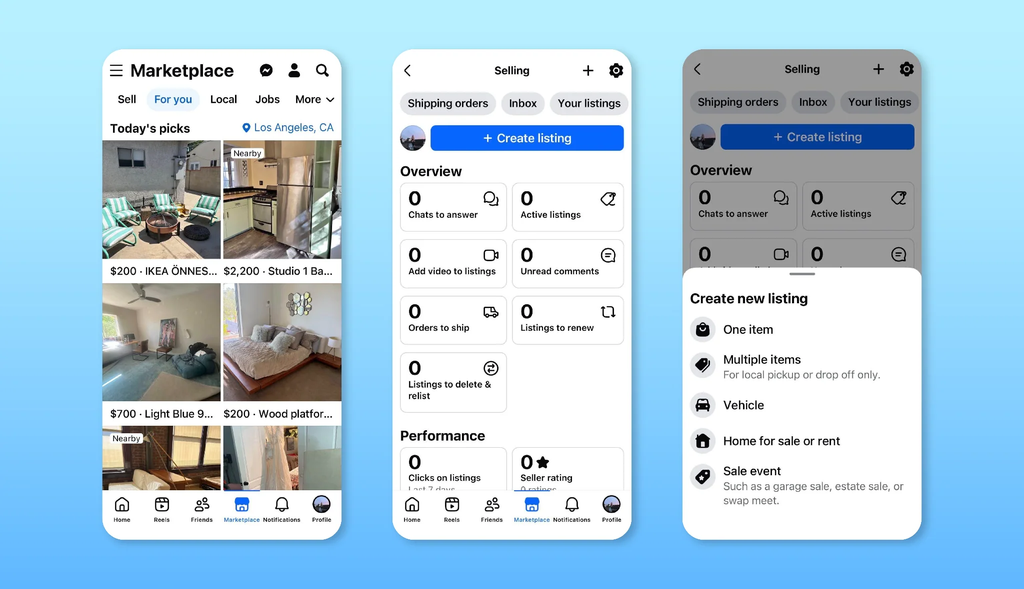
Selling unwanted belongings can be an effective way to clear space and earn some extra money. Begin by taking clear photographs from several angles in good lighting. Write an accurate description that includes the item’s condition, size, age where relevant and any noticeable defects. Select the most appropriate category and choose a reasonable asking price by comparing similar products already listed in your area.
A successful listing also depends on communication and organisation. When using Facebook Marketplace UK, respond politely to enquiries, answer questions honestly and confirm collection or delivery arrangements before finalising a transaction. Keep the listing updated if the price changes or the item becomes unavailable. Marking a product as sold helps prevent unnecessary messages and gives interested buyers a clearer understanding of its availability. Honest information can also help establish trust with potential customers.
How to Find the Best Local Deals
Finding worthwhile bargains requires more than choosing the cheapest listing. Compare prices across several sellers and consider whether the product is new, used, refurbished or in need of repair. Look for detailed photographs and descriptions that explain exactly what is included. If the seller provides limited information, ask for clarification before arranging collection. Taking extra time to research the item can help you avoid unexpected costs and disappointing purchases.
You can improve your searches by using specific product names, checking listings regularly and adjusting the distance filters when necessary. Facebook Marketplace UK may show different results as sellers add, edit or remove advertisements. If you want to negotiate, make a polite offer based on the product’s condition and comparable prices. Be particularly cautious of unusually cheap offers accompanied by urgent payment demands, suspicious links or requests for confidential information.
Is Facebook Marketplace UK Safe to Use?
Buying and selling through online listings requires reasonable precautions. Check the seller’s profile and read the listing carefully, but remember that profile information alone cannot guarantee trustworthiness. Be wary of inconsistent descriptions, copied photographs, unusual payment requests and sellers who pressure you to complete a transaction immediately. Never share your password, banking security details or verification codes with someone claiming they need them to complete a sale.
For local collections, choose sensible arrangements and consider meeting in a public place when appropriate. If collecting a large item from a private property, tell someone where you are going and arrange suitable transport. When using Facebook Marketplace UK, keep relevant conversations and transaction details available in case you need to review them later. If a listing or account appears suspicious, use Facebook’s reporting tools and avoid proceeding until your concerns have been addressed.
Collection, Delivery and Payment Options
Many local transactions involve collecting an item directly from the seller. Before travelling, confirm the collection arrangements, agreed price and product availability. For larger purchases, consider transport requirements and any additional costs. If delivery is offered, establish who will organise it and whether postage or transport charges are included in the advertised price.
On Facebook Marketplace UK, delivery and payment arrangements depend on the seller, listing and available services. Before purchasing, establish how payment will be made and what protections apply to the transaction. Do not assume every purchase includes buyer protection or an official shipping service. Keeping messages and payment records can help you review the agreement if a disagreement arises.
Tips for Getting Better Results on Facebook Marketplace UK
Use specific search phrases rather than general terms to find relevant products. For example, searching for a particular sofa style or laptop model can narrow the results. Adjust location filters and revisit searches when you are looking for something specific. Comparing multiple listings also helps you understand typical prices and recognise products that offer better value.
If you sell products, use accurate descriptions, clear photographs and competitive prices. On Facebook Marketplace UK, prompt replies and transparent communication can improve the experience for potential buyers. Keep listings updated and avoid misleading claims to establish trust and make transactions easier. Whether buying or selling, taking time to check the details can help you avoid unnecessary problems.
Conclusion
Facebook Marketplace UK provides a practical way to discover local products, compare prices and connect with people interested in buying or selling second-hand belongings. Its wide range of categories makes it useful for finding furniture, electronics, clothing, household appliances and many other everyday items. With appropriate search filters and clear communication, users can explore available options and identify products that suit their needs and budgets.
For the best experience, read descriptions carefully, compare similar listings and confirm payment, collection or delivery arrangements before proceeding. Sellers should provide accurate information and clear photographs, while buyers should remain alert to suspicious requests and unrealistic offers. By combining careful research with sensible safety precautions, you can make better decisions and use Marketplace more confidently.
Frequently Asked Questions
What is Facebook Marketplace UK?
It is a Facebook feature that helps people discover products and connect with local buyers and sellers.
How do I access Facebook Marketplace UK?
Log in to Facebook through its website or mobile app and select Marketplace if it is available to your account.
Can I find items for sale near me?
Yes. Use the location settings and available distance filters to find listings in your preferred area.
Is Facebook Marketplace UK free to use?
Browsing and local listings are generally free, although certain services or transaction arrangements may involve fees.
How can I sell items successfully?
Use clear photographs, accurate descriptions, competitive prices and prompt communication to make your listings more useful to potential buyers.